
Your needs, this model
Does it fit your priorities?
Does Link 2 Pro record 4K at 60 fps?
No. The detailed Link-series table lists Link 2 Pro up to 4K at 30 fps, and separately lists 1080p at 60 fps. Do not combine the 4K resolution and 60-fps Full HD ceiling into 4K60. The 4K mode is listed as MJPEG rather than H.264.
Explore this need in the finder →Does Link 2 Pro have a physical lens shutter?
No built-in physical shutter is documented. Link 2 Pro instead enters Privacy Mode after 10 seconds idle or when tipped downward; the manual says camera and microphone are disabled in that mode. If a physical cover is a must, the Link 2C Pro is the different non-gimbal model with a privacy switch.
Explore this need in the finder →Will Link 2 Pro give me 1080p60 while I use virtual-camera effects?
The physical camera stream lists 1080p60, but Insta360 says its Virtual Camera software stream does not support 50 or 60 fps. Choose the correct video source in the meeting app, and treat the software-effects route as a separate lower-frame-rate workflow.
Explore this need in the finder →What separates Link 2 Pro from the fixed Link 2C Pro
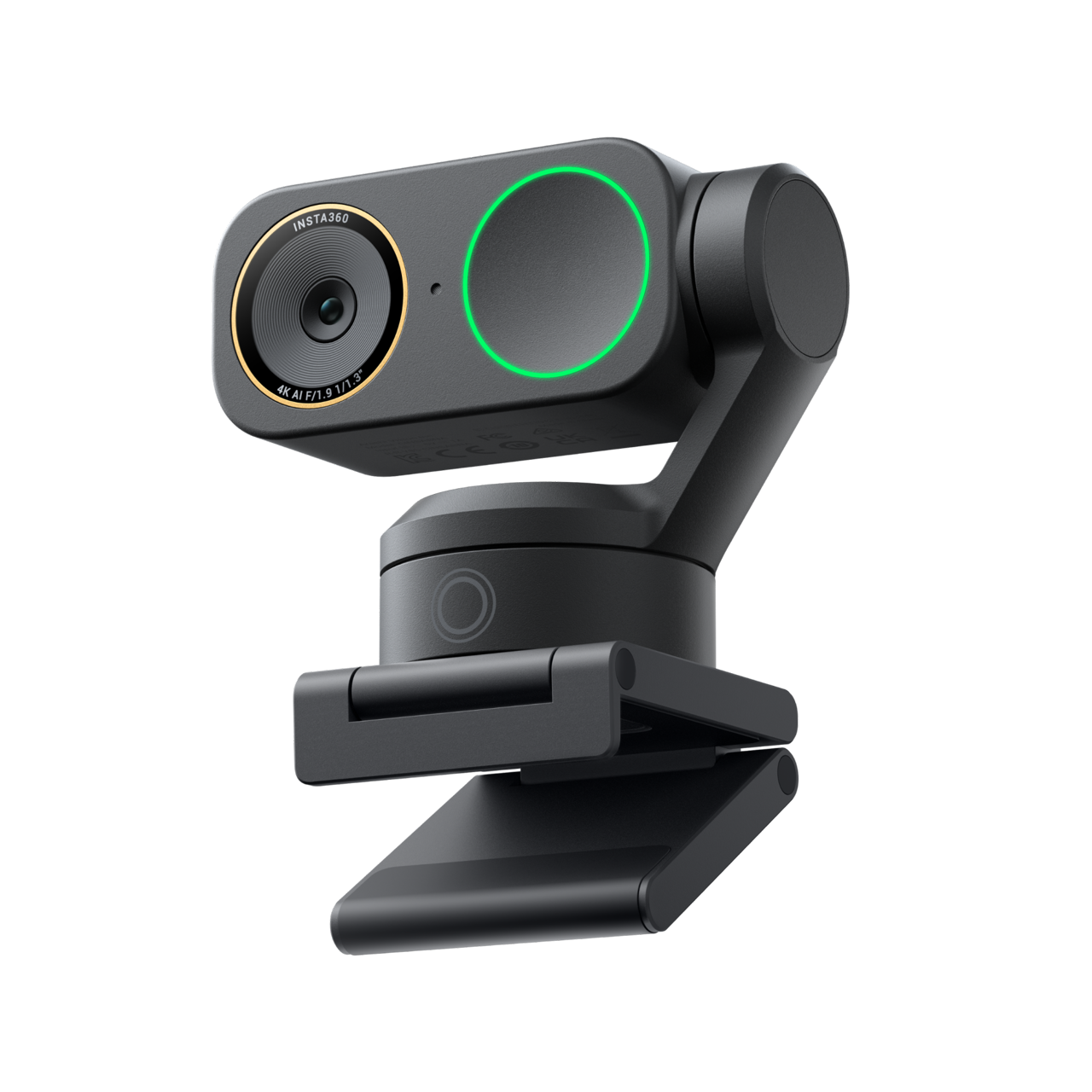
Insta360 sells these as neighboring cameras, but the central choice is not merely a trim name. Link 2 Pro has a motorized two-axis gimbal; Link 2C Pro has a fixed body, no gimbal and a physical privacy switch. The U.S. Graphite Black Standard Bundle reviewed here is the Insta360 Store variant identified as SKU 6524. The camera's motor base can pan and tilt to follow a speaker, with Insta360 listing yaw travel of plus or minus 282 degrees and pitch of plus or minus 180 degrees. That makes the Pro more relevant to a presenter who changes position than to someone who simply wants a stable lens on a monitor.
The manufacturer lists a 1/1.3-inch sensor, autofocus from 12 cm, a fixed 83.9-degree diagonal field of view, HDR and up to four-times digital zoom. Those specifications describe capabilities, not a measured image-quality result. The official store's generic ProductGroup description conflicts with the detailed pages, calling the Pro a 1/2-inch, three-axis camera; the U.S. product comparison, dedicated specification table and hardware support page agree on the larger sensor and two axes, so this assessment follows the model-specific technical sources and does not repeat the generic values.
Read the mode table as separate ceilings
The Link 2 Pro's maximum listed physical-camera output is 4K at 30 frames per second. Its 1080p60 entry is a separate mode, not a promise of 4K60. The model also lists 4K at 25 and 24 fps and lower-resolution alternatives. H.264 and MJPEG are listed, with an important exception: 4K does not support H.264. Insta360's detailed page also says portrait 1080p60 does not support H.264. An app that offers a resolution-and-frame-rate picker may expose a smaller combination than the camera's broad mode list, so check the application's input menu and encoding needs rather than assuming every listed resolution is interchangeable.
There are two software paths to understand. The physical camera stream supplies the basic camera and microphone signals and supports direct third-party use. Insta360 Virtual Camera is a separate, software-generated stream for effects such as backgrounds and whiteboard processing. The compatibility FAQ says that virtual stream does not support 50 or 60 fps. If 1080p60 is essential, select and verify the physical Link source in the meeting or streaming app instead of automatically choosing the Virtual Camera because its effects look appealing.
Tracking is useful, but it is not a lens shutter
Link 2 Pro physically turns its camera toward a moving person; the companion 2C Pro instead crops or adjusts framing digitally. The distinction affects both the shot and placement: with the Pro, leave clearance for the mechanism to move and keep its mount stable. A monitor-edge magnetic mount is in the standard package, and the manual points to a 1/4-inch screw hole for tripod mounting. If native vertical shooting is part of the plan, the manual says a tripod is required; it is not simply a software crop from an otherwise fixed mount.
The Pro's privacy mechanism also needs precise wording. It has no manufacturer-documented physical lens shutter. Insta360 describes a software/hardware Privacy Mode that disables the camera and microphone; the manual says it activates after ten seconds idle or when the lens is tipped downward. That is a different safeguard from the 2C Pro's body-mounted physical lens switch. If a visible physical cover is a procurement or household requirement, the Pro should not be counted as a shutter-equipped camera.
Audio and the USB route
The camera has two built-in microphones, described as directional and omnidirectional, with Standard, Wide, Focus and Original pickup modes plus AI noise-canceling. That gives a buyer useful routing choices on paper, but it is not evidence that the microphone will suit a particular room, distance or voice. The physical camera stream can provide basic audio directly; choose the webcam as the app's microphone source and make a short call test after installation. There is no independent listening or noise test in this research.
The included data cable is USB-C 2.0, and the standard bundle also lists a USB-C-to-USB-A adapter. Insta360 recommends using the supplied cable and connecting directly to the computer, or to a dock with independent power, because the device requires 5 V/1 A. Neither the reviewed package page nor the support source establishes a cable length, so measure your route and confirm the exact seller's package rather than assuming an extension is included. The store's separate Get-Set bundle, SKU 6543 in Graphite Black, adds a Link 2 Series carry case and Mini 2-in-1 Tripod; it does not replace SKU 6524's camera or change the video specification.
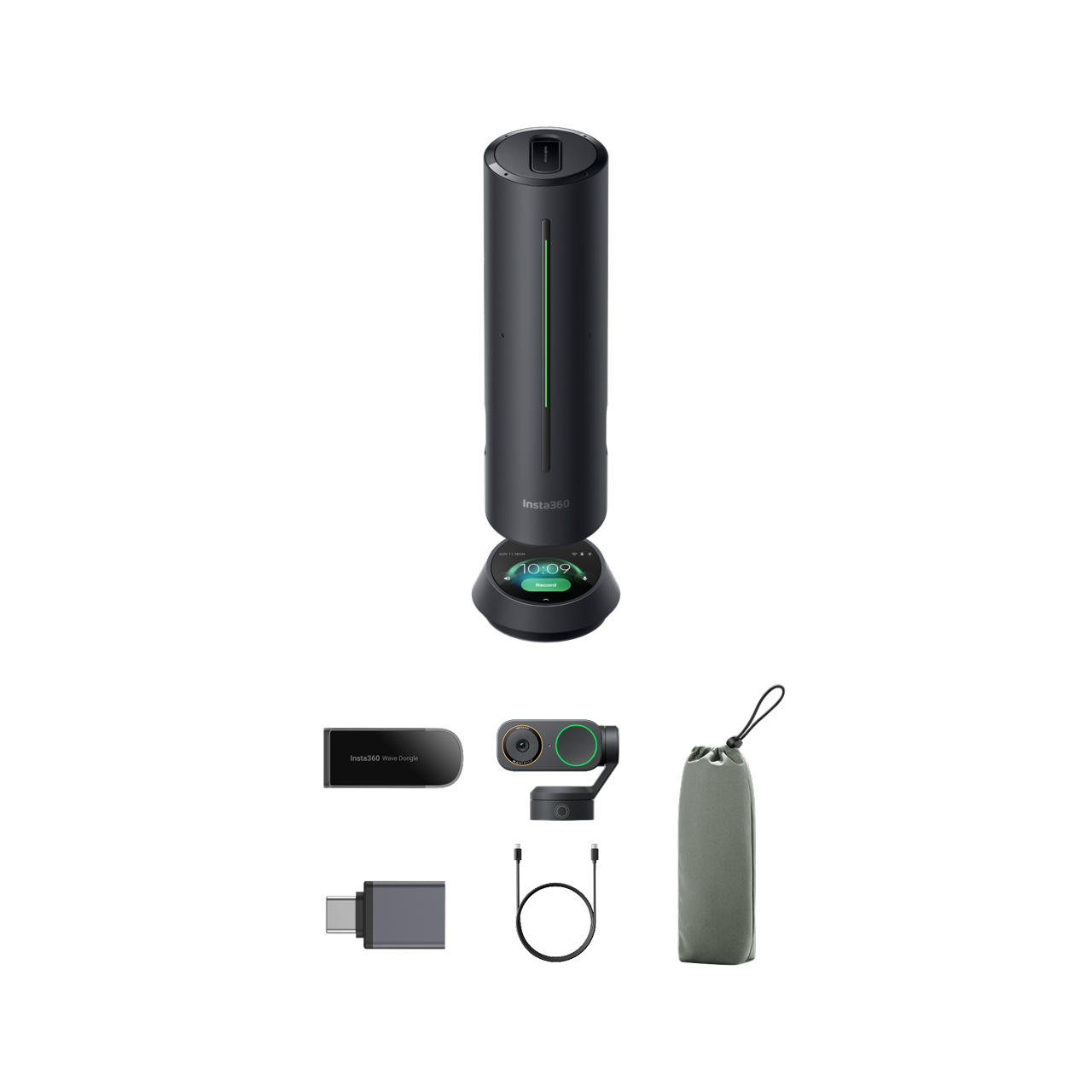
A different official U.S. Store package, WaveLink Pro SKU 6582, is described as one Wave speakerphone paired with one Link 2 Pro webcam and listed cabling, adapters, recognition markers, Magnetic Mount and carry bag. Its SKU-linked image depicts the Wave unit and a dark Link 2 Pro camera. The store does not publish a separate camera component part number or explicit camera finish for this bundle. This camera review does not assess the Wave's audio, software or combined meeting performance.
Software, compatibility and the buying check
The manual and support page describe direct Windows and macOS camera use, and Insta360 says UVC/UAC-compatible Linux computers can use the camera without Link Controller; the Link Controller software itself has no Linux version. For Windows, Link Controller requires Windows 10 or later and does not support ARM-based Windows. Insta360's current specification page says macOS 11 or later for the controller, while the dedicated compatibility FAQ/manual says macOS 10.13 or later; its virtual camera requires a newer macOS version. Because the maker's sources disagree, verify the requirement for your operating-system build and desired software features before purchase.
For a moving presenter who wants physical tracking, autofocus, camera-side audio and 4K30, Link 2 Pro has a distinctive documented setup. It is not the pick for a 4K60 requirement, a required physical lens shutter or a workflow that depends on 60 fps through Virtual Camera. Compare its exact U.S. Graphite Black Standard Bundle SKU 6524 with Link 2C Pro SKU 6525 before choosing: the 2C Pro gives up the gimbal but adds the physical privacy switch. This is a source-based assessment, not a hands-on camera, focus, audio or application test; check the selected offer's exact bundle, host port, cable contents, operating-system version, return conditions and seller details.
Key specifications
Key details at a glance
| Documented modes and host limits | The physical camera stream lists up to 4K at 30 fps and separately 1080p at 60 fps; this is not 4K60. The detailed table lists H.264 and MJPEG, but 4K and portrait 1080p60 do not support H.264. The virtual-camera stream does not support 50 or 60 fps. |
|---|---|
| Focus system | Autofocus |
| Diagonal field of view | 83.9° |
| Built-in microphone | Yes |
| Physical privacy shutter | No |
Use the exact model’s instructions for operating limits, supplied equipment and version differences.
Sources for this review
Sources for this assessment
- Insta360 Link 2 Pro and Link 2C Pro U.S. product family page
- Insta360 U.S. official store Link 2 Pro and Link 2C Pro variants
- Insta360 Link 2 Pro and Link 2C Pro specifications
- Insta360 Link Series photo and video specifications
- Insta360 Link Series compatibility FAQ for Link 2 Pro and Link 2C Pro
- Insta360 Link 2 Pro and Link 2C Pro connecting to a computer
- Insta360 Link 2 Pro and Link 2C Pro common use FAQ
- Insta360 Link 2 Pro and Link 2C Pro hardware specifications
- Insta360 Link 2 Pro and Link 2C Pro box contents support article
- Insta360 Link 2C Pro and Link 2 Pro user manual, English v1.1
- Insta360 Link 2 Pro Graphite Black Standard Bundle official image, store SKU 6524
Compare the features that affect your setup
Set essential video, focus, privacy and microphone requirements together; leave nonessential choices open.