
Your needs, this model
Does it fit your priorities?
Does the GO 3S give a meeting app a 4K webcam picture?
No reviewed GO 3S Webcam source establishes 4K output. The official conferencing table gives app-specific maximums that reach 1080p in some clients, are 720p in many and fall to 360p in some browser paths. The 4K/30 spec describes normal recording, not Webcam mode; Webcam frame rate is not stated.
Explore this need in the finder →Can the GO 3S supply call audio from its own microphones?
No. Insta360 explicitly says camera microphone audio capture is unsupported when the GO 3 or GO 3S is used as a PC webcam. Use and select a separate computer microphone.
Explore this need in the finder →Will every GO 3S package be ready to connect as a webcam?
No. The 64GB Standard Bundle U.S. SKU 3120 lists an Action Pod, which the maker's support tutorial requires for the computer workflow. Some standalone/Retro packages list a camera and viewfinder instead of an Action Pod; the manual says GO 3S is compatible with a GO 3 Action Pod after its firmware is updated. Check the exact package and have the appropriate Pod and a USB data cable.
Explore this need in the finder →The Insta360 GO 3S can be used as a wired PC webcam, but its most attention-grabbing specification belongs to the wrong mode for many meeting buyers. It records ordinary camera video at up to 4K/30; the manufacturer's webcam-support table instead lists application-specific maximums from 360p to 1080p and does not state a webcam frame rate. This is a compact camera with a useful secondary computer-camera role, not a documented 4K conferencing camera.
The webcam workflow starts with the Action Pod
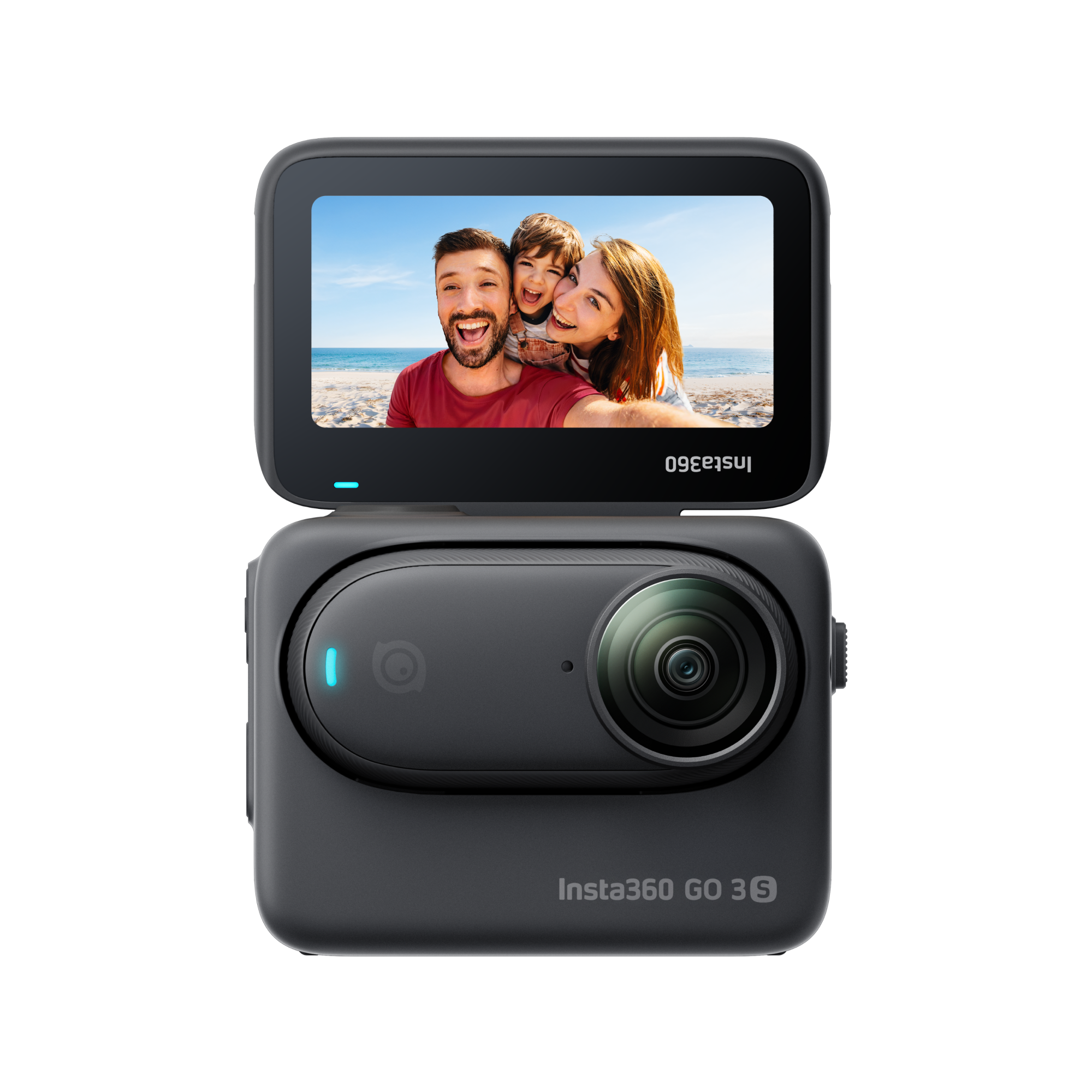
Insta360's GO-series tutorial names both GO 3 and GO 3S. It tells the owner to connect the camera to a PC with the supplied data cable and select Webcam from the prompt on the camera screen. The GO 3S support FAQ separately confirms that this model can be used as a webcam. For the current U.S. Store SKU 3120, the 64GB Cosmic Black Standard Bundle explicitly lists the camera, its pre-installed Lens Guard, Action Pod, Magnet Pendant, Pivot Stand and Easy Clip.
That Action Pod detail matters. Webcam use is not simply “plug the thumb camera into a laptop”: the camera has to present the Webcam choice on the device, and the standard kit includes the computer-facing Pod. The manual also says the standalone GO 3S is compatible with a GO 3 Action Pod after the Pod's firmware is updated. Eight Retro-style bundle records in the U.S. Store group describe a standalone camera and Retro Viewfinder but do not list an Action Pod. A buyer considering any of those variants should confirm or add a compatible, updated Pod; they are not the same listed setup as SKU 3120.
Confirm that the selected package includes the required Pod or that you have one, and check that a USB data cable is supplied or available. The product-page list for SKU 3120 names the camera and mounting pieces but does not name a data cable; the support workflow requires one. A charge-only lead is not enough for a computer-camera connection.
4K recordings do not create a 4K webcam
GO 3S's ordinary camera specifications include 4K at up to 30 fps. But Insta360 says the Webcam's video parameters are controlled by external software, and its PC support table reports different maximum resolutions by client, operating system and access method. Some listed app paths reach 1080p, many are limited to 720p, and certain browser routes are listed at 360p. The table does not provide a frame rate. That is a more useful basis for a video-call decision than transferring the 4K recording headline into a Webcam claim.
The practical boundary is important: the sources reviewed here do not establish 4K Webcam output, 1080p60 Webcam output or any single frame-rate capability. The resolution listed for an app is its own pathway limit, not a promise that every app version, browser and operating system will deliver the same stream. If 4K or a particular frame rate is a hard requirement, choose a product whose Webcam sources explicitly document that output. Do not extrapolate from footage the camera records to its live computer-camera feed.
Audio and power are separate decisions
GO 3S has built-in microphones as an action camera, but the maker's Webcam FAQ says that its camera-microphone audio is not supported when connected to a computer as a webcam. Plan on a separate microphone selected in the host application. For an all-in-one video-and-audio call setup, that is a material drawback, even if your laptop already has a microphone that you are happy to use.
The PC connection also does not charge the camera. Insta360 says the computer powers the Action Pod and camera but does not charge them. That is an easy detail to miss when a USB cable is permanently attached. The reviewed source set provides no GO 3S Webcam runtime, so it would be misleading to treat the action-camera recording-runtime figure as the length of a meeting on computer power. Charge first, test a real call and keep the desired host microphone separate.
Do not overread focus, stabilization or shutter claims
The hardware table lists a 0.5 m minimum focusing distance for the GO 3S. It does not identify the focus mechanism used for Webcam output. A near-focus measurement is not proof of autofocus, and it does not tell you how faces at a desk will be rendered. The conferencing page also says settings such as resolution, mode, stabilization, field of view and zoom are disabled because the external software controls the video parameters. The reviewed sources do not provide a Webcam focus matrix or say that action-camera stabilization carries through to meetings.
No built-in physical privacy shutter is established by the Webcam or product material reviewed for this assessment. The presence of a small lens guard is not the same thing as an in-call shutter, and no software privacy state is claimed here. Treat focus, shutter, TAA status and microphone behavior as separate questions; an unknown is not evidence that the feature exists.
The bundles change the setup, not the Webcam sensor
The U.S. Store's GO 3S product group records 45 exact variants by color, 64GB or 128GB storage, and package type. Many accessory bundles still name the Action Pod; they add a case, mounting pieces, a reader, a dive case, or other camera accessories rather than a different Webcam operating mode. Eight Retro-style package records list the standalone camera with a Retro Viewfinder and accessories but do not list an Action Pod in the described contents. The camera platform remains GO 3S, yet a Pod must be confirmed for the documented Webcam workflow.
Storage capacity is a recorded-footage choice, not a computer-stream quality upgrade. If meetings are the main reason for buying, a larger internal storage option or action-mount bundle should not be mistaken for better call resolution. If you also plan to capture and keep camera footage, the 64GB versus 128GB decision may matter for that separate use; the GO 3S manual says usable space is lower than the printed capacity because system files occupy some storage.
Where the GO 3S makes sense
The GO 3S is appealing when a buyer wants one tiny camera for hands-free recorded clips and occasional PC meetings, and accepts that the call workflow needs a Pod, a data cable and separate audio. The manufacturer lists broad conferencing-software and browser routes, though the supported resolution differs across them. A buyer already in the Insta360 GO system may find that dual role more useful than someone choosing a webcam from scratch.
Compared with the earlier GO 3, its main published camera-side upgrade is the 4K recording capability; that does not make its webcam feed a documented 4K signal. The general webcam constraints remain notably similar: use the computer mode, accept app-dependent resolution ceilings, use a separate microphone and do not count computer USB as camera charging. The GO 3S FAQ also distinguishes its supported Webcam use from its unsupported native live-streaming feature. If the task is a normal laptop meeting, test the intended conference app before relying on it; if the task is a direct on-camera live stream, that is a different feature and the FAQ says no.
Check the exact package before choosing
The reviewed U.S. Standard Bundle is Cosmic Black, 64GB, Store SKU 3120. Confirm that exact identity, the Action Pod, the camera's cable route and the selected computer application on the seller's current listing. If considering a camera-only or Retro variant, plan for a compatible GO 3 Action Pod with current firmware and a data cable. Check the Lens Guard and other accessories against the package description, especially when the bundle name implies sport-specific mounts. This assessment makes no price, stock or seller-condition claim.
In short, GO 3S is a plausible camera-plus-webcam choice, not the default pick for a buyer whose only objective is a predictable meeting feed. Its 4K recording, tiny body and accessory ecosystem can be useful in their own right. For webcam-only work, weigh the much lower app-specific output limits, separate microphone, no-charge behavior and added setup against a dedicated webcam that documents the exact video and audio path you need.
Key specifications
Key details at a glance
| Documented modes and host limits | No GO 3S Webcam frame rate is published in the reviewed English support material. Its ordinary 4K/30 recording mode is not a USB Webcam mode, and the conferencing table lists lower app-specific maximum-resolution paths. |
|---|---|
| Built-in microphone | No |
Use the exact model’s instructions for operating limits, supplied equipment and version differences.
Sources for this review
Sources for this assessment
- GO Series: Using the Camera as a Webcam for Video Conferencing When Connected to PC
- GO 3S: Live Streaming/Webcam
- GO Series: Hardware Specifications
- GO Series: Photo & Video Specifications
- Insta360 GO 3S - Cosmic Black 64GB Standard Bundle, U.S. Store SKU 3120
- Insta360 GO 3S User Manual
- Insta360 GO 3S U.S. Store SKU 3120 product image

Compare the features that affect your setup
Set essential video, focus, privacy and microphone requirements together; leave nonessential choices open.