
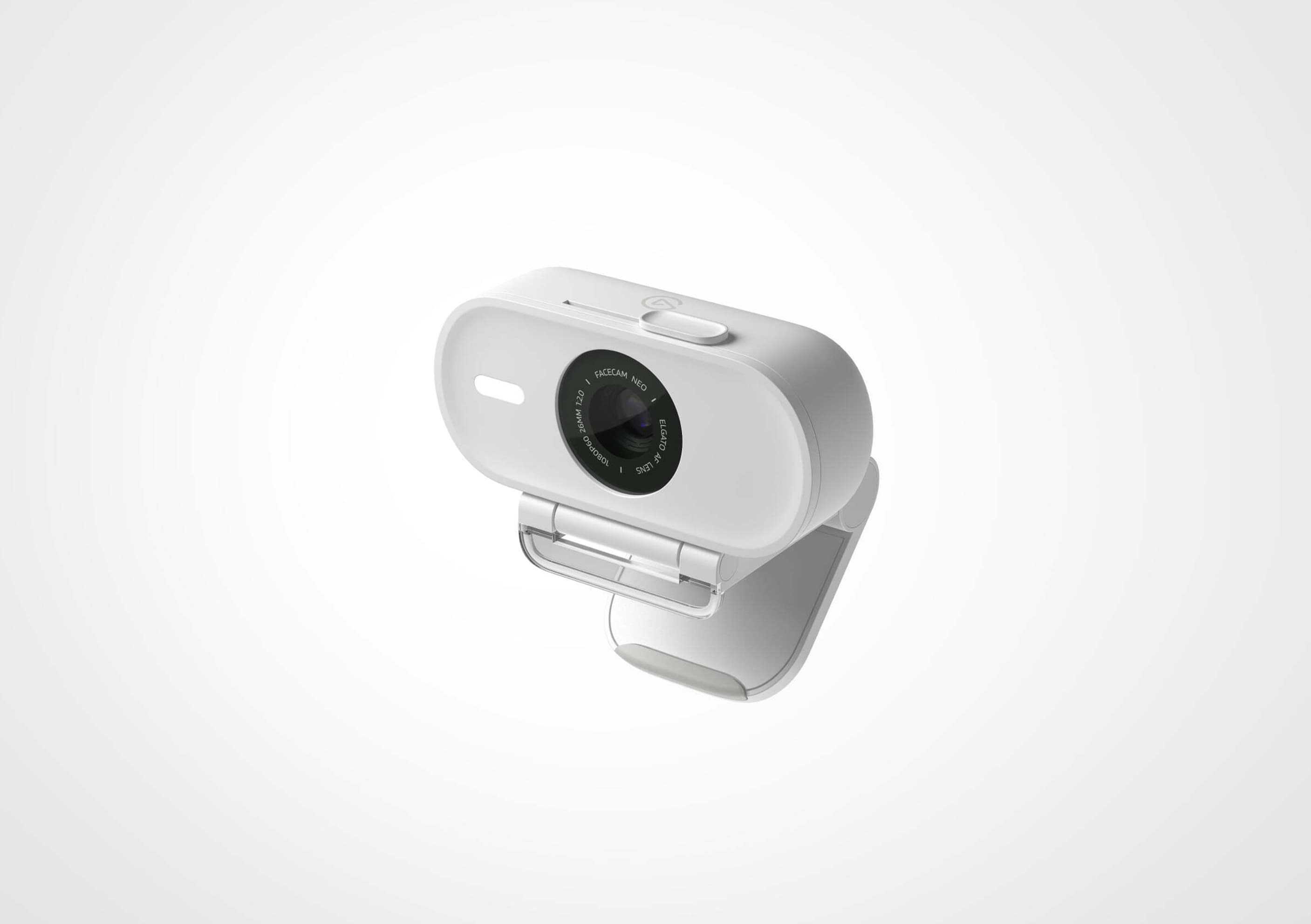
Your needs, this model
Does it fit your priorities?
Can Facecam Neo record 4K?
No. Its listed modes top out at 1080p60, with MJPEG listed for the supported resolutions. The camera is a Full HD option rather than a 4K model.
Explore this need in the finder →Does it have a physical privacy shutter?
Yes. The user manual identifies a privacy shutter and describes sliding it open before use. It is a physical cover for the lens; it does not disable software permissions or another camera source.
Explore this need in the finder →Does Facecam Neo include a microphone?
No. Elgato's manual says it has no built-in microphone; plan a headset or separate microphone if audio is needed.
Explore this need in the finder →Can I replace the included USB cable?
No. The USB-C 2.0 braided cable is fixed to the camera and is listed at about 139–140 cm. Check the physical route from monitor to host before choosing it; a USB-A adapter is not included.
Explore this need in the finder →Facecam Neo takes a different route from Elgato’s higher-resolution creator cameras: it keeps the mode list to 1080p60 MJPEG, adds autofocus and a sliding physical privacy shutter, and uses a fixed USB-C cable. That makes the key buying question less about chasing a headline number and more about whether Full HD, its cable reach and a separate audio path fit the desk. Elgato’s US product page identifies SKU 10WAE9901 and currently presents a product offer; the US category page has also shown the product as out of stock. Those page states conflict, so this assessment makes no stock claim.
What the 1080p60 specification means
The published modes are 1080p60, 1080p30, 720p60, 720p30, 540p60 and 540p30, all listed as MJPEG. This is a Full HD camera, not a 4K model. A stable 1080p60 mode can be relevant to calls, teaching or a stream where motion matters, but a specification alone does not establish sharpness, exposure, color, compression quality or compatibility with a particular application. The product’s UVC support is intended to make it available to compatible software; confirm that the operating system and app recognize the camera and expose the mode you want.
The camera’s 77-degree field of view is narrower than Facecam 4K’s listed 90 degrees. That can make a personal frame easier to keep focused on one speaker, but it may be less convenient for showing a wider desk or multiple people. Its autofocus lens is specified from 30 cm to infinity. If you alternate between your face and an object close to the camera, autofocus is a real functional difference from a fixed-focus design. It is not a guarantee that every object will be held in focus at every speed; the manufacturer’s published range is the evidence available here, not a live focus test.
A shutter and a fixed cable are part of the fit
The user manual calls out a sliding privacy shutter and explains that it should be opened before use. That is a physical lens cover, a meaningful everyday difference from Facecam 4K, where Elgato lists a cap accessory rather than a built-in shutter. It does not mute a microphone or revoke camera permissions, and it cannot cover another camera. Facecam Neo itself has no microphone, according to the manufacturer manual, so anyone who needs audio should plan a headset or separate mic.
Elgato lists a braided USB-C 2.0 cable, fixed to the camera, at about 139–140 cm. The cable cannot be replaced if it is too short or damaged. The quick guide says to connect directly to a USB-C computer port and not use a USB hub; the product page says a USB-A route is possible with an adapter, but that adapter is not included. Measure the route from camera position to the host before choosing it, and keep in mind that a USB-C connector does not itself describe a cable’s length, replaceability or data standard.
Simple setup, with a system-requirements caveat
Elgato describes Facecam Neo as ready for ordinary UVC camera apps without requiring Camera Hub for basic operation; Camera Hub is optional for additional image control. The page’s setup sequence is straightforward: mount the camera, connect it, slide open the shutter, then select it in the meeting or streaming app. The supplied monitor mount has a 1/4-inch thread, and the camera body is listed at 80 g without the mount and 110 g with it. Dimensions are 88 × 32 × 40 mm without the mount.
There is a version wrinkle in system requirements. The current US product page lists Windows 11 and macOS 13.3 or later, while the user manual currently states broader minimums of Windows 10 and macOS 12. The manuals and product page are not the same document version. If your computer is near those boundaries, check Elgato’s current support/download information before ordering instead of assuming the older manual overrides the product-page requirement. The page also lists iPadOS 17 or later, with a native USB-C connection.
Where it fits in Elgato’s range
Against Facecam MK.2, Neo adds autofocus and the physical shutter, but the MK.2’s published 1080p60 mode is uncompressed over USB 3.0 while Neo’s mode list is MJPEG over its USB 2.0 cable. Against Facecam 4K, Neo is smaller, lighter and has autofocus plus a shutter; Facecam 4K supports 4K modes, a detachable USB 3.0 cable and a 49 mm filter thread, but uses fixed focus. There is no universally better choice in those facts: the relevant differences are the specific video route, focus behavior, physical privacy and cable setup.
Its standard package lists the camera, monitor mount and fixed cable. Do not assume that a USB-A adapter, separate microphone, lens filter or replacement cable is included. Check the exact SKU on an offer and compare the included items and return terms; the product-page price or category stock status is not a substitute for checking a live retailer offer.
Evidence boundaries
This assessment uses Elgato’s product page, user manual and quick-start instructions. It does not claim hands-on testing, measured video quality, sound performance, low-light results, focus speed or long-term cable durability. Manufacturer specifications tell you which requirements are worth checking; a call with your own lighting, room distance and computer is still needed to judge how the setup looks and behaves.
Key specifications
Key details at a glance
| Documented modes and host limits | USB 2.0 MJPEG: up to 1080p60; the included USB-C cable is fixed and 139 cm long. |
|---|---|
| Focus system | Autofocus |
| Diagonal field of view | 77° |
| Built-in microphone | No |
| Physical privacy shutter | Yes |
| USB 3.0 uncompressed video documented | No |
| USB 2.0 MJPEG fallback documented | Yes |
Use the exact model’s instructions for operating limits, supplied equipment and version differences.
Sources for this review
Sources for this assessment
Compare the features that affect your setup
Set essential video, focus, privacy and microphone requirements together; leave nonessential choices open.