
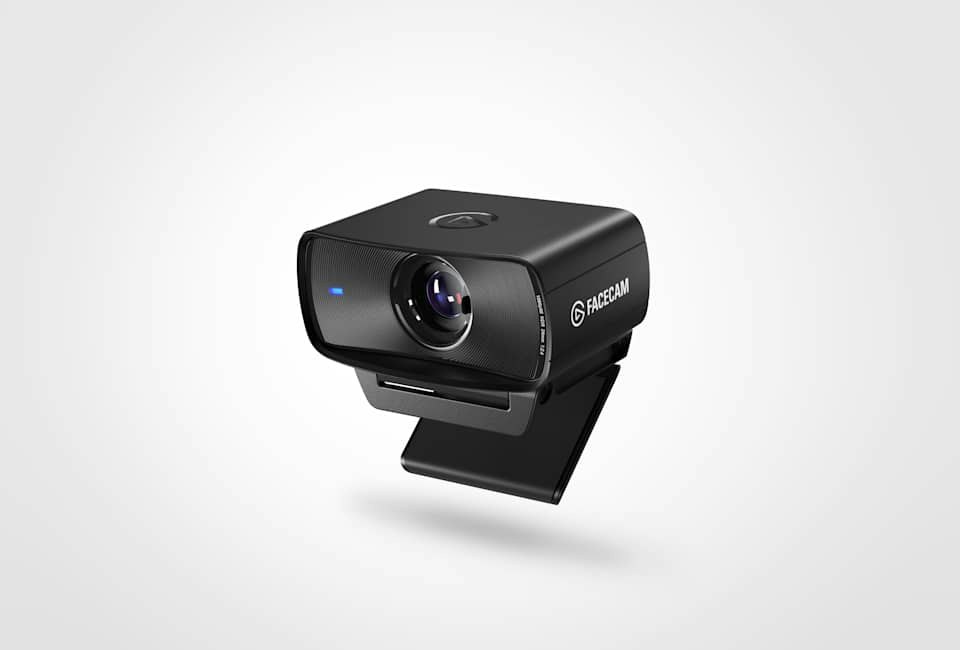
Your needs, this model
Does it fit your priorities?
Can this model provide 1080p at 60 frames per second?
Elgato specifies 1080p60 among the uncompressed modes. Its page ties the uncompressed stream to USB 3.0; the USB 2.0 fallback is compressed MJPEG, and this assessment does not assume that 1080p60 is available over USB 2.0.
Explore this need in the finder →Does the camera include a microphone?
No. Elgato positions Facecam as a video camera and says audio should come from separate audio devices. Budget for a headset, USB microphone or another audio path if your meeting or stream needs one.
Explore this need in the finder →Can I cover the lens without a separate accessory?
Yes. This exact edition has a built-in sliding shutter. It blocks the lens physically; it does not mute a microphone because this model has no built-in mic.
Explore this need in the finder →This assessment covers the US Elgato Facecam MK.2, SKU 10WAC9901, not the original Facecam, Facecam 4K or Facecam Pro. It is a fixed-focus Full HD camera with a built-in shutter and USB 3.0 uncompressed video. The tradeoffs are no built-in microphone and a 1080p ceiling. I have not used or tested it; this analysis interprets the exact product page rather than claiming measured image or audio results.
What the 1080p60 specification does—and does not—say
Elgato lists 1080p60 as the maximum mode and also names 1080p30, 720p60, 720p30, 540p60 and 540p30. That is a useful mode list for someone who streams at Full HD and values a higher listed frame rate, but it is not proof that a real call will look sharp in every room. Lighting, camera placement, the video application, network encoding and the host computer all influence the picture a viewer receives.
HDR is a separate constraint: Elgato describes it up to 1080p30. Do not treat the headline 60 fps mode and the HDR claim as a single 1080p60 HDR mode. If HDR is important, check the application’s capture format and the current Camera Hub settings before relying on it. There is no 4K mode on this SKU; shoppers with a hard 4K requirement should compare a different, separately identified model rather than interpreting “Facecam” as a family-wide specification.
A desk-distance fixed-focus camera
The MK.2 uses fixed focus, with a manufacturer-stated focus range of 30–120 cm (about 12–47 inches). That makes distance part of the fit decision. At a conventional desk position within that range, not having autofocus can be a welcome simplicity: the camera is not being asked to refocus as a speaker shifts slightly. It is a weaker fit for someone who regularly leans very close to show small objects, moves around a room, or expects a camera to refocus on whichever subject enters the scene. The source gives the focus range; it does not establish how a particular close-up will look.
The 24 mm full-frame-equivalent lens and up-to-84-degree diagonal field of view help plan coverage, but not the exact crop in every program. Camera Hub offers digital field-of-view controls; cropping cannot add detail beyond 1080p. Check that the monitor clip fits and the lens can sit near eye level.
Privacy and audio are handled separately
A built-in sliding shutter is a tangible convenience over a loose cap: the lens can be physically covered without finding a separate accessory. It is a camera privacy measure, not a microphone mute. This exact model has no built-in microphone. Elgato says Facecam leaves audio to separate audio equipment, so an all-in-one webcam-and-mic purchase is the wrong expectation. Budget for a headset or microphone and confirm that the meeting or streaming app selects it as the audio input.
Separate audio suits a desk that already has a reliable mic, but it adds cost, cabling and app selection for a shared desk. Compare the whole setup rather than treating a camera-only feature list as a complete call system.
USB compatibility changes the video format
The listed high-performance connection is USB 3.0 Type-C. Elgato says USB 3.0 supports uncompressed video and USB 2.0 remains usable with compressed MJPEG. The page does not establish the USB 2.0 mode ceiling, so I would not promise 1080p60 on that port.
The package lists a detachable, braided USB-C-to-USB-C USB 3.0 cable, 180 cm long, and a monitor mount with a 1/4-inch thread. If the host has only USB-A, verify a suitable cable or adapter and the resulting port speed before ordering.
Camera Hub is offered for Windows and Mac and exposes image controls, including exposure and framing adjustments. Software flexibility is valuable if you intend to tune a fixed desk scene, but software controls add decisions that a simple plug-in-and-call buyer may not want. Camera Hub compatibility, feature availability and the selected camera format should be checked against the current operating system and the specific video application; the product page is not an independent test of every setup.
Who should compare another webcam
Look elsewhere if 4K is essential, if the camera must provide autofocus, or if a built-in microphone is a hard requirement. Likewise, someone who needs the USB 2.0 fallback to deliver a particular resolution and frame rate should seek a product-specific compatibility statement before treating that as a match. The Facecam 4K, Facecam Pro and Facecam Neo are separate listings, not interchangeable names for this SKU; their feature sets, packages and current lifecycle need their own evidence.
For a shopper who already owns separate audio, wants a physical lens cover, and will connect over a suitable USB 3.0 port, the MK.2’s specification set is coherent: 1080p60 uncompressed video, a desk-distance fixed-focus lens, manual software controls and an included monitor mount. The most important question is not whether one feature sounds premium, but whether those capabilities line up with the space, host port and call workflow already on the desk.
Research basis and limits
This is a research-based fit assessment, not a hands-on review. The current US product page identifies SKU 10WAC9901 and supplies the features, modes and package list cited here. A Quick Start Guide link on Elgato’s site resolves to a PDF whose regulatory section names model 20WAC9901 and part 51WAC9901, not the current 10WAC9901 SKU. I did not transfer that document’s dimensions or setup instructions to this assessment. No current price, stock position, independent image-quality measurement, customer experience or compatibility test is claimed.
Key specifications
Key details at a glance
| Documented modes and host limits | USB 3.0: uncompressed 1080p60; USB 2.0: compressed MJPEG, exact maximum not confirmed. |
|---|---|
| Focus system | Fixed focus |
| Diagonal field of view | 84° |
| Built-in microphone | No |
| Physical privacy shutter | Yes |
| USB 3.0 uncompressed video documented | Yes |
| USB 2.0 MJPEG fallback documented | Yes |
Use the exact model’s instructions for operating limits, supplied equipment and version differences.
Sources for this review
Sources for this assessment
Compare the features that affect your setup
Set essential video, focus, privacy and microphone requirements together; leave nonessential choices open.