
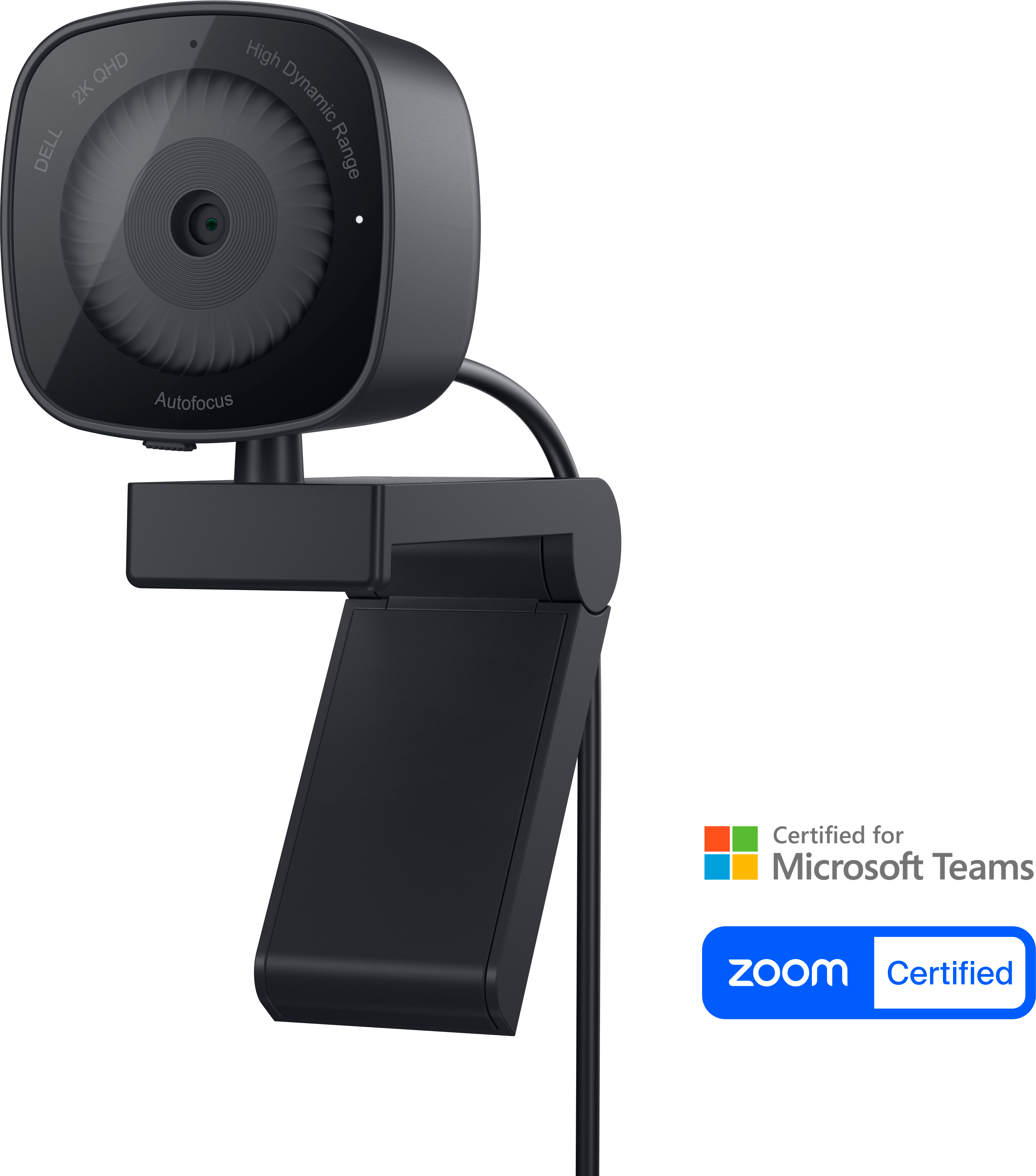
Your needs, this model
Does it fit your priorities?
Does WB3023 provide Full HD at 60 fps?
No Full HD 60 fps mode is listed in Dell's user guide. It pairs 1440p and 1080p with 30 fps; the 60-fps option is HD 720p. The Dell page's separate maximum-resolution and maximum-frame-rate fields are not a combined mode.
Explore this need in the finder →Does WB3023 have a built-in privacy shutter?
Yes. Dell's user guide identifies an integrated sliding privacy shutter, and its U.S. product page describes that shutter as built in. It is a manual physical cover rather than a software-only sleep state.
Explore this need in the finder →Will WB3023's microphone work immediately after connecting it?
Not by default. Dell says the built-in omnidirectional microphone is disabled until enabled in Dell Display and Peripheral Manager. Confirm the camera-mic toggle and the app's selected input before relying on camera audio.
Explore this need in the finder →This assessment is based on Dell’s U.S. WB3023 product information, User Guide and Quick Start Guide. I did not use or test the camera, measure image or sound, install Dell Display and Peripheral Manager, or check a calling app on a host computer.
Read the mode table, not two separate maximums
WB3023 is sold as a 2K QHD webcam, but its mode table is more useful than the product page’s broad “maximum resolution” and “maximum frame rate” fields. Dell’s guide pairs 2K QHD (2560 × 1440) with 30 frames per second, Full HD (1920 × 1080) with 30 fps, and HD 720p with either 30 or 60 fps. The camera therefore does not establish 1080p60 or 1440p60. A page listing 2560 × 1440 and 60 fps in separate fields does not say the camera can combine those two maxima.
The guide identifies a USB 2.0 camera stream and MJPEG encoding. That distinction matters when comparing it with a newer USB 3 camera or an uncompressed stream: the connector is not a performance measurement, and this model’s source-backed top resolution is 1440p30. Dell lists autofocus, 2× digital zoom and an adjustable 65°/78° field of view. These are documented controls, not independent evidence of sharpness, focus speed, room coverage or image quality.
A genuine physical shutter, with a software audio caveat
Dell calls the WB3023 shutter integrated and describes sliding it across the lens when the camera is not in use. It is a physical privacy step that does not depend on remembering a software toggle. The shutter does not disable every other camera function, so it is still sensible to check the video indicator and the operating system’s camera controls before a sensitive meeting.
The camera has a built-in omnidirectional microphone. Dell’s guide says it is disabled by default and must be turned on in Dell Display and Peripheral Manager (DDPM). A first-time setup therefore has an extra step: install or open DDPM, enable the camera microphone, and then check that the meeting application has selected it as the input device. Dell describes a microphone pick-up range up to 2 m, but that is a manufacturer specification, not a promise about intelligibility in a particular room or a measurement of this unit.
Connection, framing and placement
The user guide identifies USB 2.0 and the box list describes the webcam with its attached cable. The U.S. product specification lists a 4.92-foot cable; the camera connects by USB-A, which is straightforward for a computer with a suitable port but does not create a USB-C path without a separately obtained adapter. The product guide supports an integrated clip and tripod thread. Its package list is camera with cable and documentation, so a tripod should not be assumed to be included.
Dell provides a 65° or 78° field of view, with the narrower view useful when you want less of the room in frame. Software lets you change settings and offers additional camera features. Those settings are not a substitute for checking the physical placement: the camera’s clip has to sit securely on the screen, and the desk distance still determines how much of you appears within the frame. Do not infer motorized tracking from the presence of software auto-framing.
Dell’s manuals list supported operating systems and direct users to DDPM for configuration. Because operating-system versions and video applications change, verify support for your exact computer and conferencing app before purchase. Also check the selected camera input in the app: operating-system permission, DDPM’s microphone toggle and the meeting app’s audio selection are separate controls.
How it differs from Dell’s Pro models
WB3023 shares a 1440p30 ceiling and a built-in shutter with the Pro 5 WB526, but it is positioned as a general Dell webcam rather than a Pro device. WB526 adds documented features such as Windows Hello, a detachable magnetic universal mount and a security chain; it uses its own USB-C cable with a USB-A converter. Neither WB3023 nor WB526’s guide lists 1080p60: both reserve their 60-fps mode for 720p.
The Pro 7 WB726 is a different class of connection and mode. Its documentation describes USB 3.1 Gen 1, higher-resolution options and more smart features. It also comes with an important source conflict about 4K60, so its assessment does not turn that mode into a buying guarantee. If your use case requires Full HD at 60 fps or confirmed 4K, compare each model’s exact mode table and host path rather than relying on its title or overall maximum fields.
Who should shortlist WB3023?
It is worth comparing if you need autofocus, a built-in physical shutter and a camera microphone for a USB-A workstation, while 1440p30 or 720p60 is acceptable. Its limits are unusually clear: no documented 1080p60, USB 2.0 MJPEG, an initially disabled microphone, and no exact-SKU TAA statement in the reviewed U.S. product materials. Dell lists a three-year limited hardware warranty, but any seller’s condition, included items and current offer remain offer-specific.
Before ordering, confirm the manufacturer part number 9JDKV (Dell’s U.S. offer identifier is DP1X1), cable and port fit, DDPM availability, and the current box contents. Do not treat another WB3023 regional part number or a retailer’s generic “2K/60 fps” summary as proof of a combined QHD60 mode.
Primary references: Dell’s U.S. WB3023 product page and package specifications, WB3023 User Guide and WB3023 Quick Start Guide.
Key specifications
Key details at a glance
| Documented modes and host limits | See operating plan: USB 2.0 MJPEG; highest resolution is 1440p30 and the only listed 60 fps mode is 720p. |
|---|---|
| Focus system | Autofocus |
| Diagonal field of view | 78° |
| Built-in microphone | Yes |
| Physical privacy shutter | Yes |
| USB 3.0 uncompressed video documented | No |
| USB 2.0 MJPEG fallback documented | Yes |
Use the exact model’s instructions for operating limits, supplied equipment and version differences.
Sources for this review
Sources for this assessment
Compare the features that affect your setup
Set essential video, focus, privacy and microphone requirements together; leave nonessential choices open.