
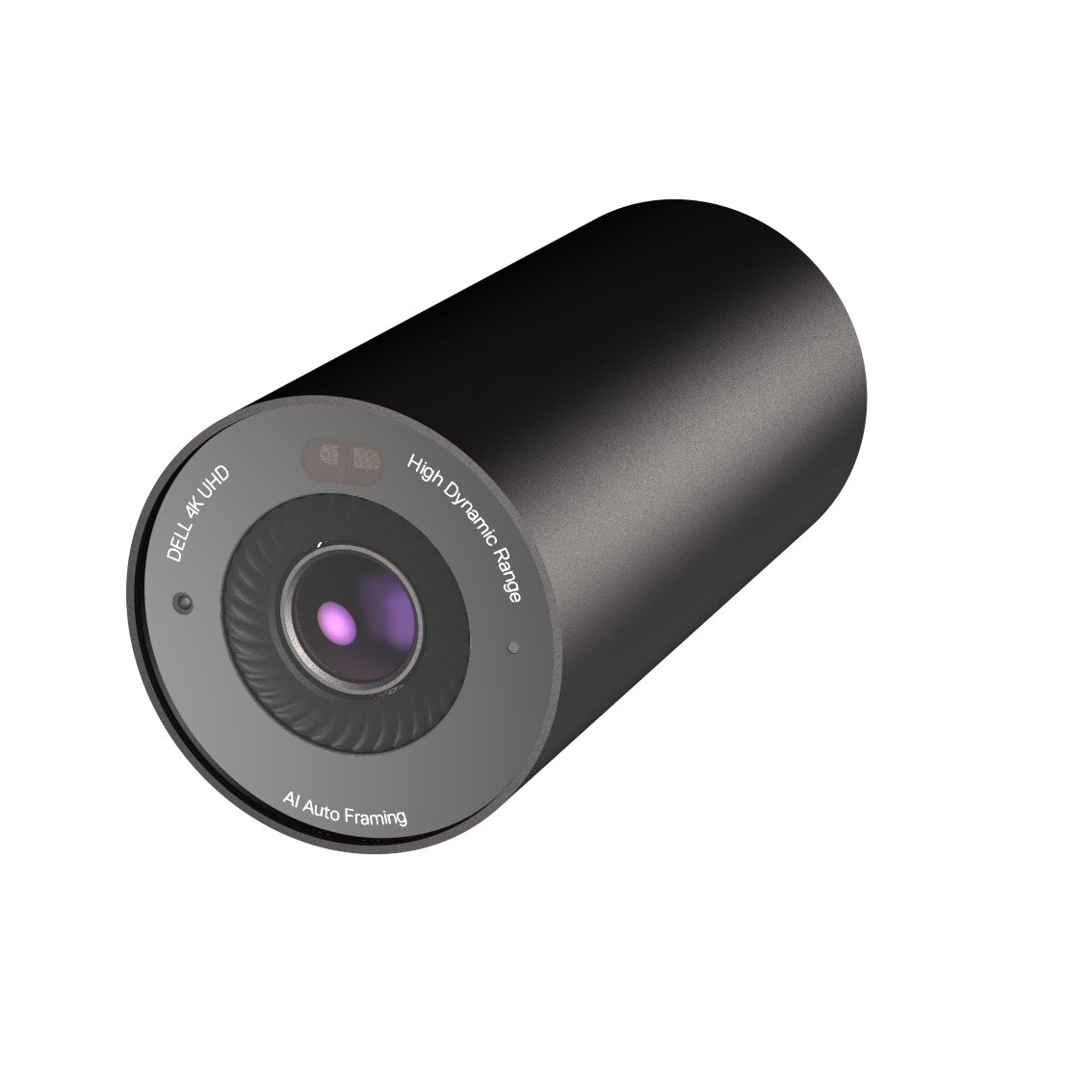
Your needs, this model
Does it fit your priorities?
Does WB7022 provide 4K at 60 fps?
No. Dell's user guide lists 4K UHD at 30 fps, with Full HD and HD available at 30 or 60 fps. The current U.S. product page separately lists a 4K/24 entry, but neither source establishes 4K60; the webcam finder does not count this as a 4K60 camera.
Explore this need in the finder →Does WB7022 have a built-in physical privacy shutter?
No built-in shutter is documented. Dell lists a magnetic external privacy cap in the package; it must be put over the lens and is different from a shutter integrated into the webcam body.
Explore this need in the finder →Can WB7022 supply meeting audio through an internal microphone?
No. Dell's product specifications state that the WB7022 has no built-in microphone. Plan for a separate microphone or computer audio device and verify the conferencing app's input selection.
Explore this need in the finder →What host connection should I verify for the WB7022 4K mode?
Dell identifies the camera's USB 3.1 Gen 1 data port, and its support resource lists a model-specific USB 3.0 requirement for 4K. The included cable runs from USB-C at the camera to USB-A at the computer. Check the computer port's actual data generation and the application's exposed modes; the connector's shape alone is not proof of a 4K-capable path.
Explore this need in the finder →Dell’s UltraSharp WB7022 is a 4K desk camera whose strongest case is specific: a USB 3-class host, autofocus, a flexible field-of-view setting and Windows Hello support, paired with a separate microphone and the patience to use an external lens cap. It is not a complete call-audio package, and its magnetic privacy cap is not an integrated shutter. This assessment follows Dell’s U.S. model page and guide; the camera was not tested or used here.
Read the video modes as pairings
Dell’s product specification lists 4K UHD at 24 or 30 frames per second, Full HD at 24, 30 or 60 fps, and HD at 24, 30 or 60 fps. The user guide gives the narrower shared mode table: 4K at 30 fps and Full HD/HD at 30 or 60 fps. Because those two primary records differ on the 4K24 entry, the shortlist assessment credits the clearly documented 4K30 mode and does not rely on 4K24. Neither source supports 4K60. A request for smooth 60-fps Full HD is a different mode from a request for 4K.
Dell identifies a USB 3.1 Gen 1 data connection, and its model-specific support guidance says USB 3.0 is needed for WB7022 4K. That makes the host path part of the purchase decision rather than a footnote. The included two-metre cable has USB-C at the camera and USB-A at the computer. A USB-A plug can connect to ports with different capabilities, so check the port's actual USB generation and verify that the app exposes the intended capture mode. The reviewed sources do not establish a full set of USB 2.0 fallback mode pairings; do not assume that any port or adapter will preserve 4K.
Autofocus, framing and image controls
The maker lists autofocus, a Sony STARVIS CMOS sensor and up to 5× digital zoom. Its selectable diagonal fields of view are 65°, 78° and 90°. Those settings give a desk user choices about how much of the room appears in frame, but the camera still needs the right physical distance and angle. Set the lens near eye height, check the background at the narrow and wide settings, and use digital zoom sparingly if you want to preserve framing flexibility. The published feature list is not a test of low-light noise, autofocus behavior or how the camera renders skin tones.
The product page also lists HDR and facial-detection exposure features. Dell’s software tools are listed separately for Windows and Mac, while the user guide names Windows 10 64-bit in its older support scope. Confirm the current software and operating-system support for the exact computer before relying on configuration controls. Windows Hello is a notable differentiator for compatible Windows setups, but it is not a substitute for checking the specific device, account and sign-in requirements.
Privacy and sound are external tasks
WB7022 has no built-in microphone in Dell’s specification. If your meeting workflow normally uses a webcam mic, budget for a separate USB microphone, headset or computer audio device and select that input in the application. Do not infer an audio endpoint from the camera’s video connection.
Dell lists a magnetic external privacy cap in the package. It gives the owner a physical way to cover the lens, but it must be removed and replaced by hand; the reviewed documentation does not describe an integrated sliding shutter. That distinction matters if you want a cover that remains attached to the camera or a privacy action that is part of its built-in hardware. Keep the cap with the device and confirm the lens is covered when privacy is needed.
Mounting and package checks
Dell’s U.S. package list names a webcam mount, USB-C-to-USB-A cable, tripod adapter, documentation and the magnetic cap. The adapter and tripod attachment point are not evidence that a tripod stand comes in the box. Dell says the monitor mount supports displays up to 2.12 inches (5.4 cm) thick and is not compatible with Alienware Gaming Monitors. Check the actual monitor bezel and mounting position before ordering; an incompatible screen is not fixed by having a wider field of view.
When comparing WB7022 with Dell’s Pro 7 WB726, both have a documented 4K30 path in the conservative assessments, but their tradeoffs differ. WB7022’s reviewed page lists Windows Hello, a cap and no built-in mic; WB726’s U.S. review documents an integrated shutter and microphone hardware, with a separate source conflict around 4K60 and USB-mode details. The more expensive-sounding “UltraSharp” name does not by itself settle which set of controls or accessories is more useful. WB3023 is a lower-resolution USB 2.0 alternative with autofocus, an integrated shutter and a microphone that Dell says must be enabled in DDPM; its manual pairs 1440p30 with 720p60 rather than 1080p60.
Who should shortlist it?
Consider WB7022 if you want autofocus, a documented 4K30 stream, Windows Hello support, and more than one framing angle—and if you already have audio covered and can use a USB 3-capable host. It is a poor fit when a built-in microphone or integrated shutter is a must, when the intended computer lacks a confirmed USB 3 path for 4K, or when the supplied monitor mount does not fit. The source materials do not establish an exact-SKU TAA status, so a procurement requirement needs confirmation rather than assumption.
Before buying, verify the exact U.S. manufacturer part 8YK83 and Dell part 319-BBHP, whether the seller's package includes the listed cable, mount, tripod adapter and magnetic cap, the host port's USB generation, the app's available mode, and your display's thickness and compatibility. Check current seller, condition, return terms and operating-system support independently; this review makes no live price or availability claim.
Primary references: Dell’s U.S. WB7022 product page, WB7022 User’s Guide, and Dell’s WB7022 support-resource listing.
Key specifications
Key details at a glance
| Documented modes and host limits | The manual lists 4K30 and separate Full HD/HD 30-or-60-fps modes over USB 3.1 Gen 1; Dell Support says USB 3.0 is needed for 4K. The product page also lists 4K24, but the manual table does not; this record does not depend on 4K24 or claim 4K60. |
|---|---|
| Focus system | Autofocus |
| Diagonal field of view | 90° |
| Built-in microphone | No |
| Physical privacy shutter | No |
Use the exact model’s instructions for operating limits, supplied equipment and version differences.
Sources for this review
Sources for this assessment
Compare the features that affect your setup
Set essential video, focus, privacy and microphone requirements together; leave nonessential choices open.