
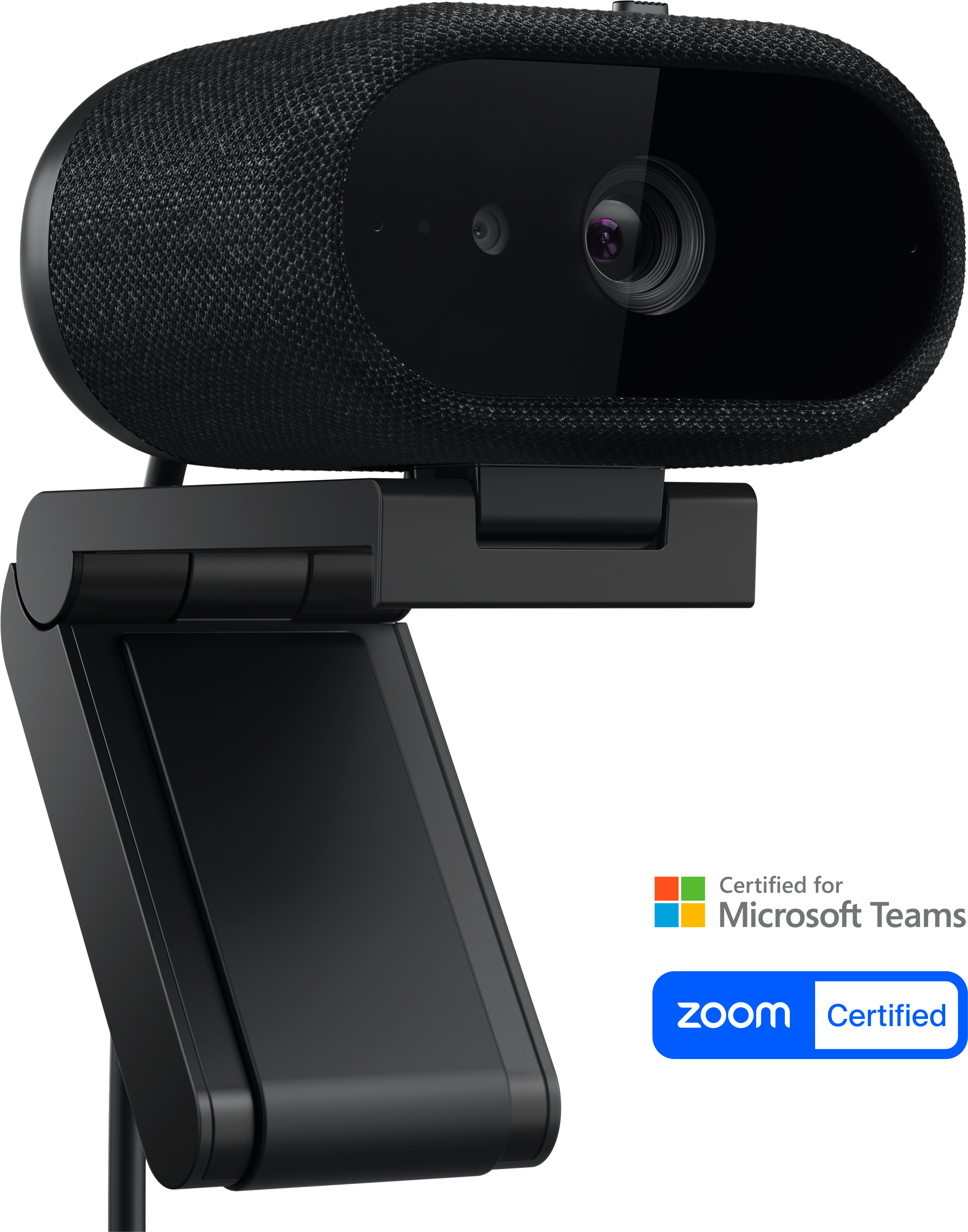
Your needs, this model
Does it fit your priorities?
Can I count WB726 as a confirmed 4K60 webcam?
Not on the reviewed Dell evidence alone. The U.S. page and the guide's video-mode table list 4K UHD at 60 fps, while the same guide's troubleshooting paragraph says the model does not support 4K60. The assessment therefore credits 4K30 only and asks buyers requiring 4K60 to obtain model-specific clarification from Dell.
Explore this need in the finder →Does WB726 keep all of its smart features at 60 fps?
No. Dell's guide says auto-framing stops at 60 fps and its USB 3 table marks features such as auto-framing, object framing, document view, AI noise reduction and view-based beamforming as unavailable at 60 fps. Mode selection and smart-feature availability are separate constraints.
Explore this need in the finder →Does this exact part meet a TAA-compliant procurement requirement?
No. Dell's U.S. specification explicitly marks WB726 as not TAA compliant; it does not qualify for a required explicitly compliant SKU.
Explore this need in the finder →This is a source-based assessment of Dell’s U.S. WB726 product page and User Guide. I did not use the camera, run DDPM, test a USB host or video application, exercise Windows Hello, or measure image, audio, focus or tracking performance.
USB 3 is the planned path for its full feature set
Dell specifies a USB 3.1 Gen 1 Type-C camera and says USB 3.0 or later is needed for all features. The U.S. package lists a 2 m USB-C cable and a USB-A converter. The connector shape alone is not enough: use a host port with the needed data speed if you want the documented 4K route and full smart-feature set. Dell’s guide says USB 2.0 cannot support 4K; with the supplied converter, USB 2.0 is a fallback for Full HD or HD but disables or limits some functions.
The user guide’s resolution table lists 4K UHD, Full HD and HD at 30 or 60 fps over USB 3.0. It also lists MJPEG, hyper-speed autofocus, selectable 65°/78°/90° field of view, an integrated shutter, Windows Hello and built-in microphones. For a stable 30-fps 4K setup, the specs are comparatively clear. For 60 fps, Dell says auto-framing stops and its table also disables some AI-oriented functions at that rate.
Dell’s 4K60 documentation contradicts itself
The U.S. product page advertises 3840 × 2160 and 60 fps, and its effective-resolution line lists 4K UHD at 30 or 60 fps. The User Guide’s main mode table also pairs 4K with 30 or 60 fps. But in its troubleshooting section, that same guide says the WB726 “does not support 60 fps at 4K.” This is not just a lower feature set at 60 fps; the sentence conflicts with the advertised mode itself.
Because the reviewed primary documentation does not resolve that conflict, this assessment does not count 4K60 as a confirmed mode for matching. It credits 4K30 and directs anyone who requires 4K60 to obtain current, model-specific clarification from Dell before buying. That is a conservative evidence decision, not proof that Dell’s product page is wrong or that no firmware/app path can expose the advertised mode. The finder’s 4K60 result therefore remains limited to models without this unresolved contradictory source record.
Smart features and audio have frame-rate boundaries
WB726’s smart functions include auto-framing, document view, gesture controls, presence sensing and AI-based image and microphone processing. The guide makes clear that they do not all work in every mode. At 60 fps, its USB 3 table marks auto-framing, object framing, document view, AI noise reduction and view-based beamforming unavailable. A footnote also warns that some intelligent functions cannot be active simultaneously. The 4K30 path is the more appropriate one to evaluate if those software features matter; even there, check the app and DDPM configuration.
The camera has dual AI and view-based beamforming microphones. Dell’s specifications describe the microphone feature but do not establish speech quality in your room. The guide warns that view-based microphone mode may not detect a speaker outside the camera’s field of view. If you sit or move off-axis, test the setting yourself or select another audio input; do not assume the microphone’s “range” field promises coverage around the room.
Privacy, mounting and two other spec discrepancies
A manually sliding physical shutter is integrated into the camera. Dell includes a detachable magnetic universal mount and a USB-A adapter; it specifies support for monitors up to 1.81 inches thick and says the mount is not compatible with Alienware Gaming Monitors. Windows Hello with anti-spoofing is listed, along with presence sensing. The mount, software and privacy details are useful for a managed desk, but compatibility still depends on the monitor, host, operating system and selected app.
Two other data points deserve care. Dell’s user guide lists 5× digital zoom, while the U.S. technical specification says 4×; this review leaves the exact zoom factor unresolved. The official materials reviewed also mark WB726 as not TAA compliant, so it cannot meet a must-have requirement for an explicitly compliant SKU. Dell gives a three-year limited hardware warranty; a particular offer’s status, condition and return policy are still buyer checks.
Who should compare WB726?
It is a strong spec-sheet candidate for a desk requiring autofocus, a built-in shutter and camera audio, with a USB 3.0-or-later host and a verified 4K30 application path. It is not a safe answer to a hard 4K60 requirement until Dell reconciles its page and manual, and it is not a TAA-compliant purchase option. If you also need AI framing or view-based mic processing, note that those features are not available at 60 fps under Dell’s table; distinguish the requested video mode from the desired software feature.
Identify the product by U.S. manufacturer part G4MYM; Dell’s U.S. offer code is V813W. Check the selected listing for the exact part, included 2 m cable, USB-A converter and mount, then verify the host port and app. A 4K label, generic maximum-fps field, USB-C plug or list of smart features does not guarantee that all of those capabilities operate simultaneously.
Primary references: Dell’s U.S. Pro 7 WB726 product page and WB726 User’s Guide.
Key specifications
Key details at a glance
| Documented modes and host limits | 4K30 is the highest mode credited. Dell's official product page and manual mode table list 4K60, but the guide later says 4K60 is unsupported; see source conflict and do not rely on 4K60 without written clarification. |
|---|---|
| Focus system | Autofocus |
| Diagonal field of view | 90° |
| Built-in microphone | Yes |
| Physical privacy shutter | Yes |
| TAA-compliant exact SKU | No |
Use the exact model’s instructions for operating limits, supplied equipment and version differences.
Sources for this review
Sources for this assessment
Compare the features that affect your setup
Set essential video, focus, privacy and microphone requirements together; leave nonessential choices open.