
Your needs, this model
Does it fit your priorities?
Does WB526 deliver 1440p at 60 fps?
No. Dell's user guide lists 2K QHD at 30 fps, Full HD at 30 fps and HD at 30 or 60 fps. Treat the table's 60-fps maximum as a 720p mode, not a QHD60 combination.
Explore this need in the finder →Is WB526's mic active by default?
No. Dell says the microphone is disabled by default and must be enabled in Dell Display and Peripheral Manager. Its U.S. page and user guide give different maximum-range figures (3 m and 2 m respectively), neither of which is an independent audio test.
Explore this need in the finder →Does WB526 meet an explicitly TAA-compliant procurement requirement?
No. Dell's exact U.S. WB526 specifications mark TAA Compliant as No, so this model does not satisfy a requirement for an explicitly TAA-compliant SKU.
Explore this need in the finder →This source-based assessment uses Dell’s U.S. WB526 product specifications and User Guide. I did not use the webcam, run DDPM, test Windows Hello, make a call, or measure picture, sound, framing or focus performance.
It is a 1440p30 camera, not a 1440p60 camera
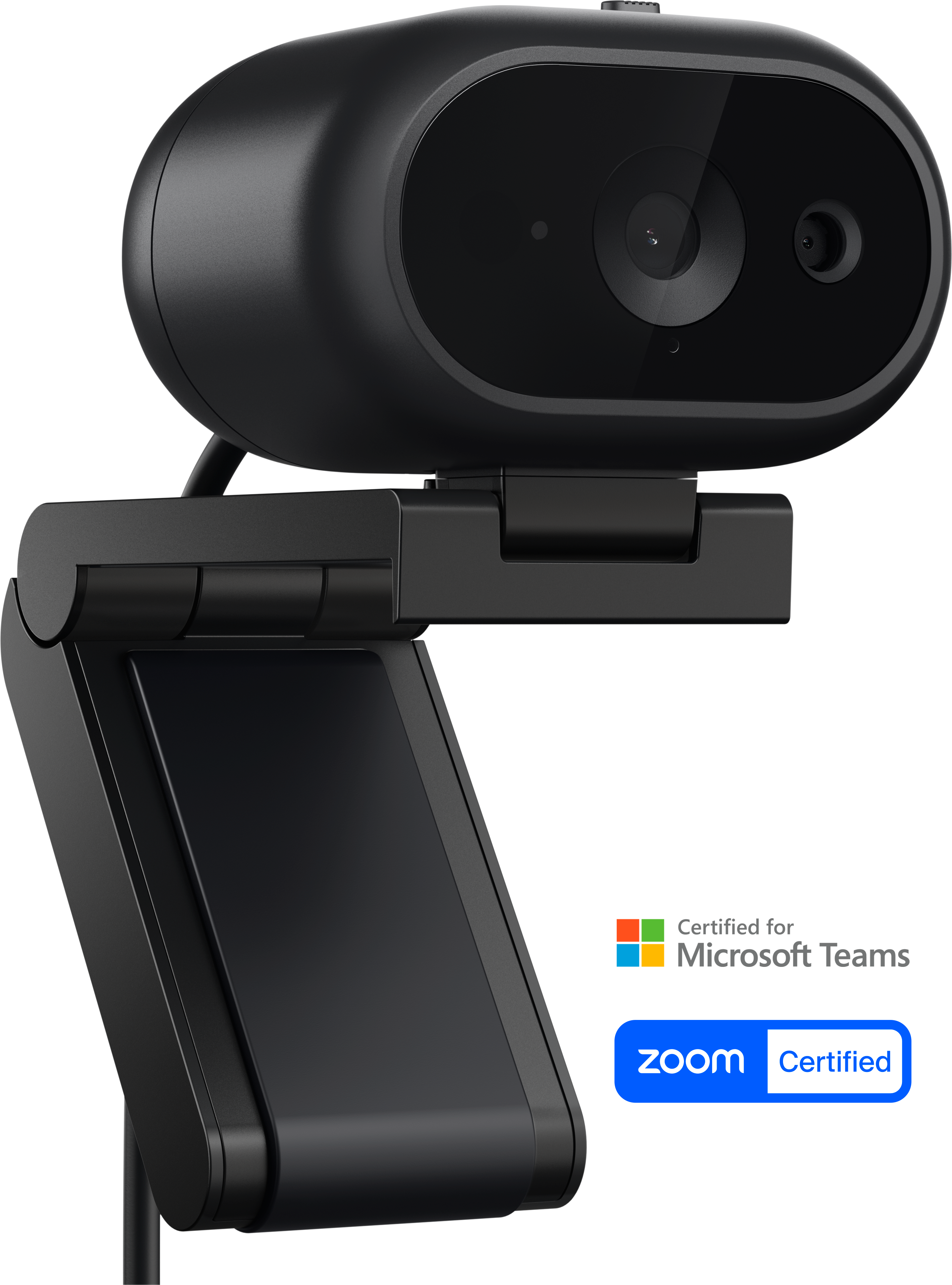
The Dell Pro 5 WB526 is a 2K QHD webcam with autofocus and a USB 2.0 video path. Dell’s guide gives the mode pairings: 2560 × 1440 at 30 fps, 1920 × 1080 at 30 fps, and 720p at either 30 or 60 fps. That means the product page’s separate “maximum video resolution” and “maximum frame rate” values should not be read as a combined 1440p60 or 1080p60 capability. The highest listed resolution is 1440p30; 60 fps belongs to 720p.
The guide identifies MJPEG encoding and a USB 2.0 stream. Dell advertises a Sony sensor, autofocus, 2× digital zoom, HDR-related image controls and selectable 65°/78° framing. Those specifications tell you which features Dell documents; they do not establish low-light results, face-tracking accuracy, autofocus speed or how well a particular conferencing app exposes each mode.
Physical privacy is built in
Unlike a webcam that relies on a removable cover or a software sleep command, the WB526 has an integrated sliding privacy shutter. Dell’s guide shows the shutter closed by sliding it across the lens and notes the camera indicator behavior when it is closed. This is a useful distinction if a physical lens block is a must-have rather than a convenience. It is still a manual control, so check its position before a call.
The model also has a built-in omnidirectional microphone, but Dell’s guide says the mic is disabled by default and needs to be enabled in Dell Display and Peripheral Manager. Once enabled, check the selected input in your call application; a camera can be video-ready while its audio source remains disabled or unselected. Dell’s U.S. product page lists up to a 3 m microphone range, while the user guide says up to 2 m. I would not collapse those two specifications into a single verified usable distance, and neither is a measured result in a specific room.
Mount, cable and business features
Dell lists a detachable magnetic universal mount and support for monitors up to 1.81 inches thick, with an explicit note that the WB526 mount is not compatible with Alienware Gaming Monitors. The U.S. package also lists a USB-A converter, security chain and documentation. The product specification gives a 1.5 m cable; the guide depicts the USB-C camera cable, and the converter provides a USB-A host option. Both the port and the data rate matter: this is USB 2.0, not a USB 3 camera simply because the camera-side connector is USB-C.
Windows Hello facial recognition with anti-spoofing is documented, as are document view and gesture-based object framing through Dell software. Those features may make the WB526 a better fit for managed office routines than a simpler home webcam, but they are not proof that every function appears in every operating system or application. Dell lists Windows 11 64-bit and macOS 14 or later in the U.S. product specs; confirm compatibility with the actual machine and the software you intend to use.
Procurement status is not a soft preference
Dell explicitly marks the exact WB526 configuration as not TAA compliant. If the purchase must meet an explicitly TAA-compliant SKU condition, the WB526 is not a match even though it has a shutter, autofocus and camera audio. A product feature summary cannot override that exact-SKU procurement status. Ask the purchasing authority to verify the complete part number and contract rules before placing an order.
WB3023 has a similar 1440p30/720p60 mode boundary and an integrated shutter, but uses its own USB-A cable and does not carry the same Windows Hello and magnetic-mount feature set. WB726 moves to USB 3.1 Gen 1 and lists a 4K30 path plus AI features, though Dell’s own documents conflict on 4K60. These differences are more useful than treating “Pro 5” and “Pro 7” as a simple price ladder.
Who should shortlist WB526?
It is a candidate for an autofocus meeting webcam where a physical shutter, a microphone, Windows Hello, and a movable mount matter more than 1080p60 or 4K. The key checks are the 1440p30/1080p30/720p60 mode split; whether your host exposes a USB 2.0 connection; installing DDPM and enabling the microphone; and the exact monitor thickness and compatibility. Dell gives a three-year limited hardware warranty. Current seller availability, condition, return terms and whether a particular box is complete must be checked on the exact offer; no review here establishes those offer details.
Use manufacturer part number 9MGTV to identify the U.S. model; Dell’s offer identifier is X32NP. Confirm both identifiers when comparing a listing, and do not treat the webpage’s separate 2K and 60 fps maxima as a single supported stream.
Primary references: Dell’s U.S. WB526 product page and exact part specifications and WB526 User’s Guide.
Key specifications
Key details at a glance
| Documented modes and host limits | USB 2.0 MJPEG modes are listed in the user guide; the 60-fps option is 720p, not 1080p. |
|---|---|
| Focus system | Autofocus |
| Diagonal field of view | 78° |
| Built-in microphone | Yes |
| Physical privacy shutter | Yes |
| USB 3.0 uncompressed video documented | No |
| USB 2.0 MJPEG fallback documented | Yes |
| TAA-compliant exact SKU | No |
Use the exact model’s instructions for operating limits, supplied equipment and version differences.
Sources for this review
Sources for this assessment
Compare the features that affect your setup
Set essential video, focus, privacy and microphone requirements together; leave nonessential choices open.